

What are the steps for installation?
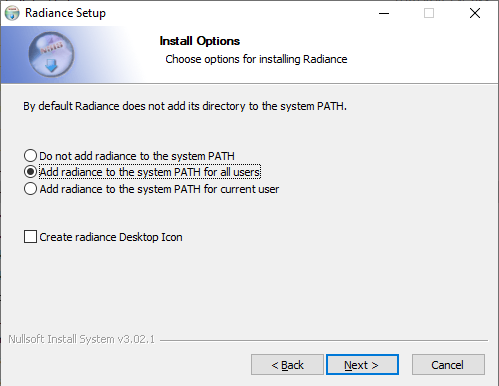
- Right-Click the MBSDaylightForRevitSetup.exe file and Select Run as administrator. This ensures future software updates can be obtained without admin privileges.
- It installs .Net framework and Radiance dependencies along with the MBS Daylight for Revit DLL and settings files.
- Remember to Select Add radiance to the system PATH for all users.
What are the steps for updating the software?
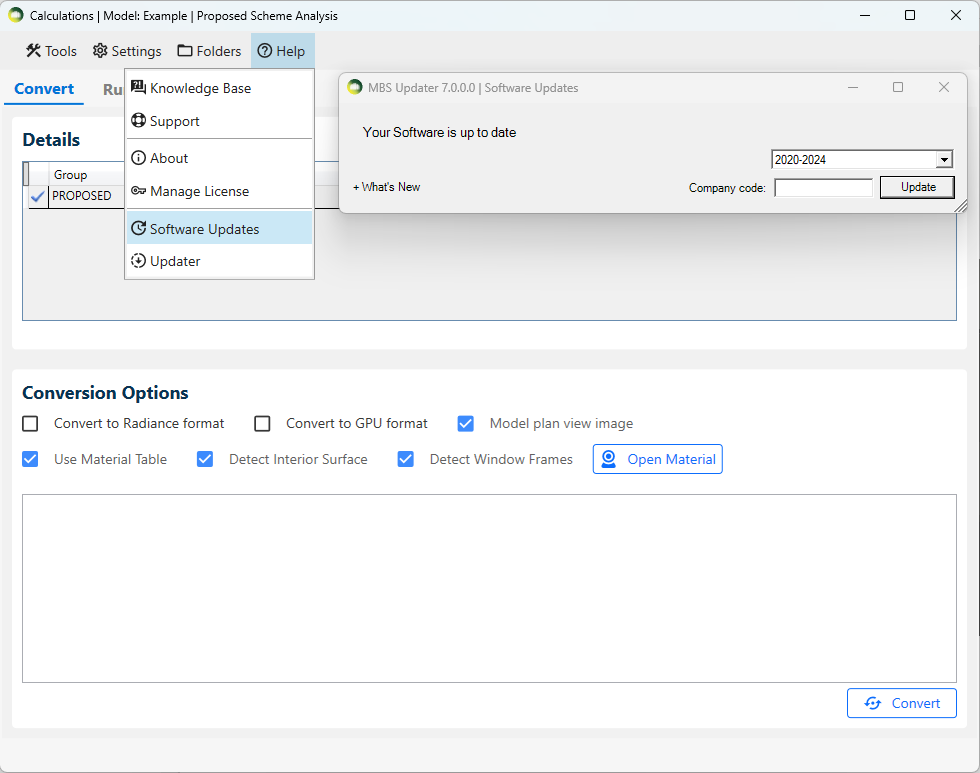
- Software Update dialog will automatically open on the first run after the installation.
- For future updates, follow the below steps
- Open the MBSCalculation dialog > Help > Software Updates > Update
- Revit and any MBS Calculation service consoles must be restarted after the update.
- What’s New expander can be clicked to check the list of the latest changes.
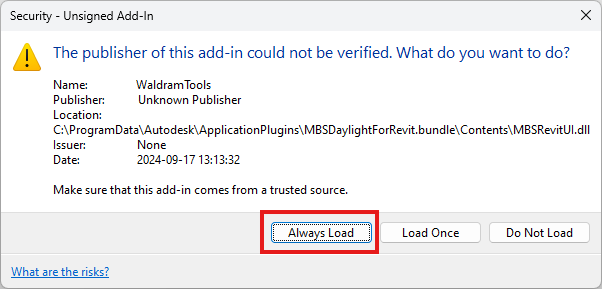
How to avoid security warning when opening revit?
- To suppress the security warning, please make sure you have clicked on Always Load button.